I tested the LaserPecker LX2 for weeks, and its swappable heads make this laser cutter and engraver ideal for small businesses
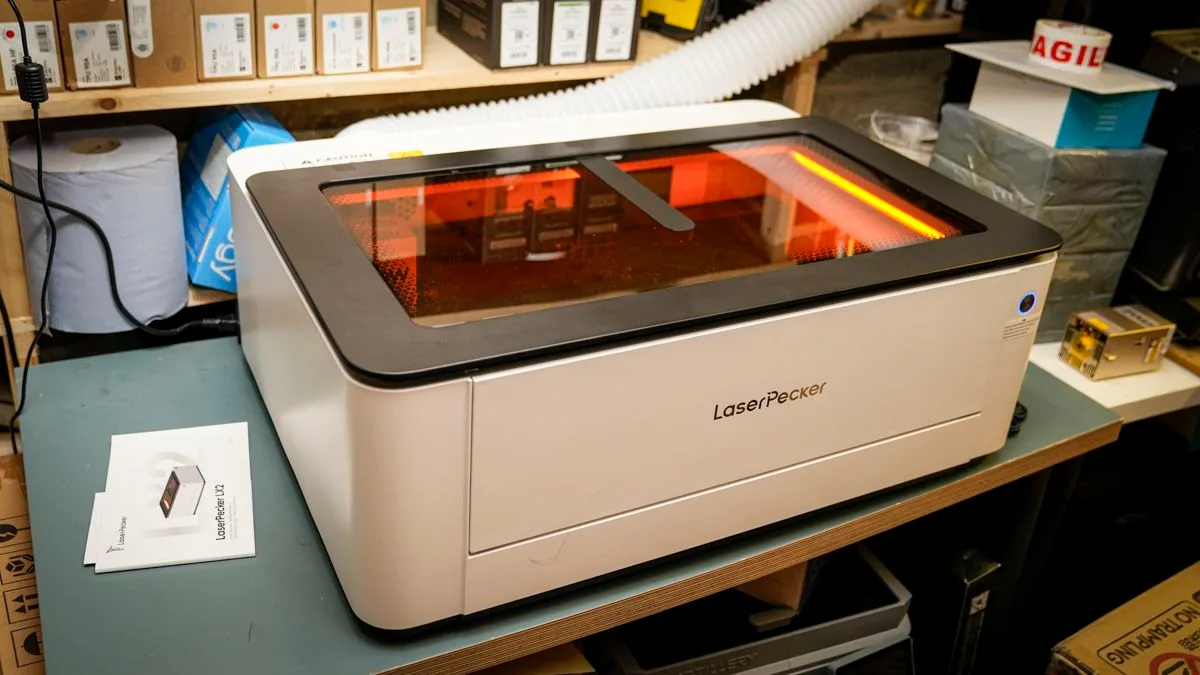
LaserPecker has been in the laser engraving and cutting sector for a while.
Still, the LX2 is its first fully enclosed system of this type, and the first that feels genuinely suited to home and small-business use rather than a workshop with proper ventilation and space to spare.
The LX2 pairs the safety of a full enclosure with a modular head system, swapping between 20W, 40W, and 60W diode and 2W infrared without tools, enabling this machine to cover a far wider range of materials and objects than a fixed single-laser engraver.
However, those machines are now becoming scarce.
In this test, I’ve looked at the LX2 with the 40W diode and 2W IR heads, connected directly to a MacBook Pro M1 Max, running LaserPecker Design Space in Beta, since the full release does not yet support the LX2. (Image credit: Alastair Jennings) LaserPecker LX2: Price & availability The LaserPecker LX2 is available direct from the manufacturer in the US here , and in the UK here .
At time of review, prices start at $1599 (down from $1999) / £1349 (down from £1799) for the 20W standard bundle.
The 40W Standard Bundle is $1799 / £1849.
LaserPecker LX2: Design Specs Laser technology: Interchangeable diode and IR laser modules Build area: 500 x 305mm Dimensions: 779.5 x 609.2 x 281.15mm Weight: 22.5kg, main unit Bed: Slatted support base, four slats supplied as standard Software: LaserPecker Design Space (Beta, required for LX2 support), LightBurn also supported Materials: Wood, acrylic and, with the 2W IR head, metals and plastics; see Laser options: 20W diode, 40W diode (tested), 2W 1064nm IR (tested), 60W support Camera: 12MP / 6K positioning camera Connectivity: USB, Wi-Fi; USB-C on the LX2 end, USB-A on the computer end; a Mac needs an adapter Standard accessories: Smart Air Assist, cutting slats, fire extinguisher port The LX2 is relatively heavy at 22.5kg, but despite its size, it is well built and easy enough to lift and move around in the workshop; it’s also lighter than the two other cutters I already have, and at 779.5 x 609.2 x 281.15mm in size, a standard, properly braced project desk is more than sufficient to hold it.
Like most fully enclosed machines, it has a lift-over top lid that lets you watch the cut or engraving in progress, and a handy front-panel opening that makes loading material easier and lets you use the LX2 as a front-loader if you don't have headroom above the machine.
It is the only machine I have come across with this feature.
Round the back are all the ports and connectors, including the USB-C that connects to your computer, with both Mac and PC supported.
One oddity worth knowing: the USB-C end of the cable goes into the LX2, and the USB-A end into your computer, so a Mac needs an adapter.
5News aggregated this summary from the outlet’s public feed. The full article, with all the context, is on www.techradar.com — the content belongs to TechRadar.