How to vibe code your first website

Vibe coding began as a buzzword but quickly became a software category of its own.
Now there are more AI platforms offering vibe coding features than there are days in a year.
But if you’re going to use one, you need to know how they work and the ways they’re different from the no-code or low-code platforms you may have used in the past.
It’s a bit more complicated than simply entering a prompt and generating a fully functional website you can use right away, though that is often the way it’s marketed.
In reality, you’re still left to fine-tune the generated output until it’s functional, decide on hosting infrastructure, and troubleshoot any security or operational issues that arise.
I’ve spent a lot of time working with vibe coding apps over the past couple of years, weaving several of them in and out of my workflow depending on the project scope.
Here, I’ll share with you what I’ve learned, including the things that have changed in the industry since vibe coding began as a concept.
How vibe coding works Vibe coding isn’t programming in the traditional sense.
You’re not writing code, so it’s more similar to no-code or drag-and-drop website builders than writing HTML5 or React-based apps in a text editor.
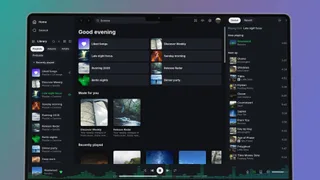
But thanks to recent improvements in Large Language Models (LLMs) and generative AI, you can essentially describe what you want your website to do and how you want it to look, then let the platform interpret your prompt and generate the code you need in HTML, CSS, and JavaScript.
You can then export the code as raw files into any web hosting server of your choice, register a new domain, and go live within a matter of minutes.
But in reality, it’s not always so simple.
When you enter a prompt for the AI to generate from — depending on how specific you are and how advanced the underlying technology is — you’ll end up with something that’s at best close to functional but not ready for production quite yet.
You’ll then have to tweak the AI-generated site, using subsequent prompts to refine the design until you get to something you’re satisfied with.
5News aggregated this summary from the outlet’s public feed. The full article, with all the context, is on www.techradar.com — the content belongs to TechRadar.