NordVPN brings Message Protection to iPhone alongside new free scam-blocking app
NordVPN's Call and Message Protection toolkit is now officially available on iOS The provider has also launched HangUp, a standalone iOS app that blocks spam calls and is entirely free to use without a VPN subscription.
In an exclusive to TechRadar, NordVPN explained the tools are designed to give users "a second to think" before reacting to high-pressure phishing attempts.
After a brief period of speculation sparked by a mysterious app release note , NordVPN has confirmed to TechRadar that its highly anticipated Message Protection feature is now on iOS.
Alongside bringing full SMS scam screening to its main Apple app, the provider has also launched HangUp, a free, standalone app designed to eradicate spam calls on your iPhone.
NordVPN, our current best VPN overall, has been expanding its focus beyond the VPN for months now, most notably with its Next Gen Antivirus developments which aim to tackle traditional malware attacks.
Now, these new releases squarely aim to tackle the growing epidemic of social engineering, where hackers target the user rather than the device.
The new Call and Message Protection toolkit resides on a single screen within the main NordVPN iOS app.
Whether your VPN connection is actively switched on or running quietly in the background, the tools work continuously to keep your inbox and call log safe from fraudsters.
Giving you a second to think (Image credit: Getty Images) Phishing via text, often called "smishing", relies entirely on panic.
Scammers regularly impersonate delivery companies, tax agencies, or banks, hoping you will click a malicious link in a rush.
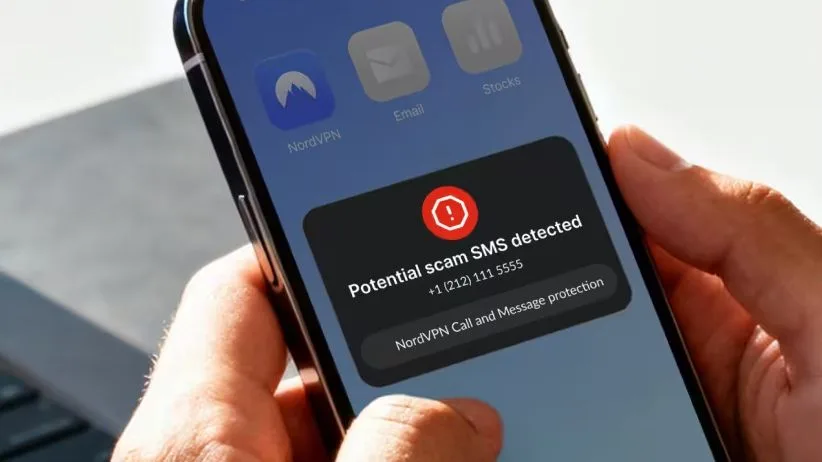
Message Protection directly combats this by acting as a digital filter for your iPhone.
The tool checks every SMS from an unknown sender against phone reputation databases, running deep URL analysis and content categorization.
If a text is deemed suspicious, the app fires off a push notification detailing the specific threat type.
Crucially, the flagged message then opens in a dedicated safe view.
5News aggregated this summary from the outlet’s public feed. The full article, with all the context, is on www.techradar.com — the content belongs to TechRadar.