How to make IKEA and Philips Hue smart lights play nicely together, from simple hub pairing to fun DIY hardware hacks
IKEA is really making a name for itself in smart home tech.
Its mobile app is clear and easy to navigate, its selection of smart switches (which my colleague Ruth Hamilton called " the understated hit of IKEA's new gadget range ") are versatile and cheap, and its stylish smart lamps made a real splash at this year's CES technology show.
But what if you don't want to be limited to IKEA's own app? What if you like IKEA's lights, but already have a Philips Hue setup, or want to incorporate lights and devices from other brands as well? Thankfully, there are lots of options to explore, from simple software solutions to crafty hardware hacks.
Here are four ways to get all your smart lights to play along nicely.
1.
Use the Matter standard Last week, IKEA launched a new driver for its integrated lights (including the type of strips and spots you would install in cupboards and cabinets) that not only lets you control them remotely via the IKEA Home app, but is also compatible with the Matter smart home standard.
That means you can combine these integrated lights into a larger smart home setup.
You can then control them using a Matter-compatible smart speaker, set a schedule, dim them, and much more.
You aren't limited to IKEA's integrated lights, either.
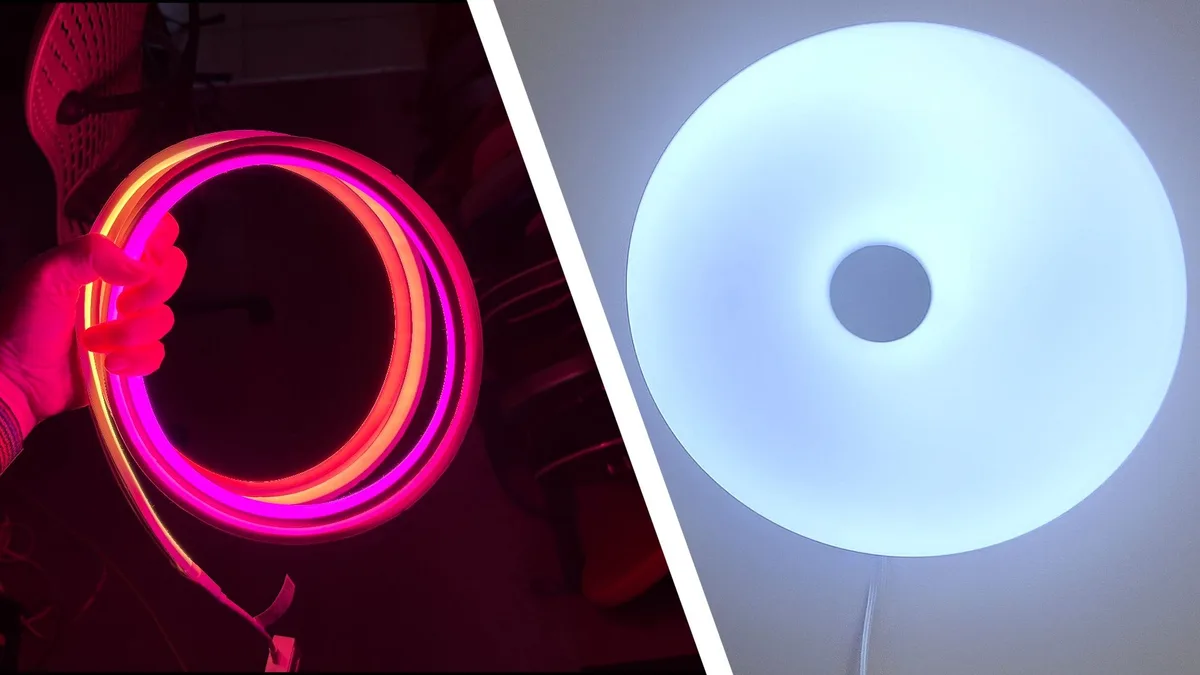
The brand also offers other Matter-compatible lights, including the color-shifting, donut-shaped Varmblixt, and Kajplats bulbs — and you can throw in lights from other brands like Nanoleaf, Govee, and (of course) Philips Hue, too.
But what if you don't want to use the Matter standard? What if you already have a Philips Hue setup and want to continue using the Hue app to control all your lights? 2.
Connect everything to your Hue Bridge IKEA smart lights (such as the Varmblixt and Kajplats) support Zigbee Light Link, which is the same wireless protocol used by Philips Hue bulbs.
You can therefore connect your IKEA lights directly to a Philips Hue Bridge by following these instructions: Ensure your IKEA smart light has software version 1.2.x or later Keep the IKEA smart light close to the Philips Hue Bridge Search for new devices in the Philips Hue app Do a factory reset of the smart light by toggling the main switch six times Connecting your IKEA smart lights this way will let you control their basic functions through the Hue app, set schedules, add them to groups, and trigger them with Hue sensors and switches.
However, you won't get the same degree of control you would through a native Hue smart light.
5News aggregated this summary from the outlet’s public feed. The full article, with all the context, is on www.techradar.com — the content belongs to TechRadar.