One dev is recreating 7 Adobe apps in Rust for free — so I tested it out
An AI developer has taken on Adobe, the undisputed 800-lbs gorilla of the creative software space.
Announcing the 'launch' over on Reddit , the "a 15-year industry veteran" explained that he used Opus 5.5 to help "recreate 7 of the top Adobe apps in 100% pure native Rust".
Adobe's all-consuming subscriptions seems to be the main reason for recreating Photoshop, Premiere Pro, Lightroom, Illustrator, Acrobat Pro, After Effects, and InDesign using the modern programming language.
That's something I can fully appreciate.
After all, what if you’re not a fan of their business practices, like charging you a fair chunk of change every month to be able to use their software, and the moment you stop paying, you can no longer work on your files and projects? So, of course, I just had to check out how it compares to Adobe's own creative suite.
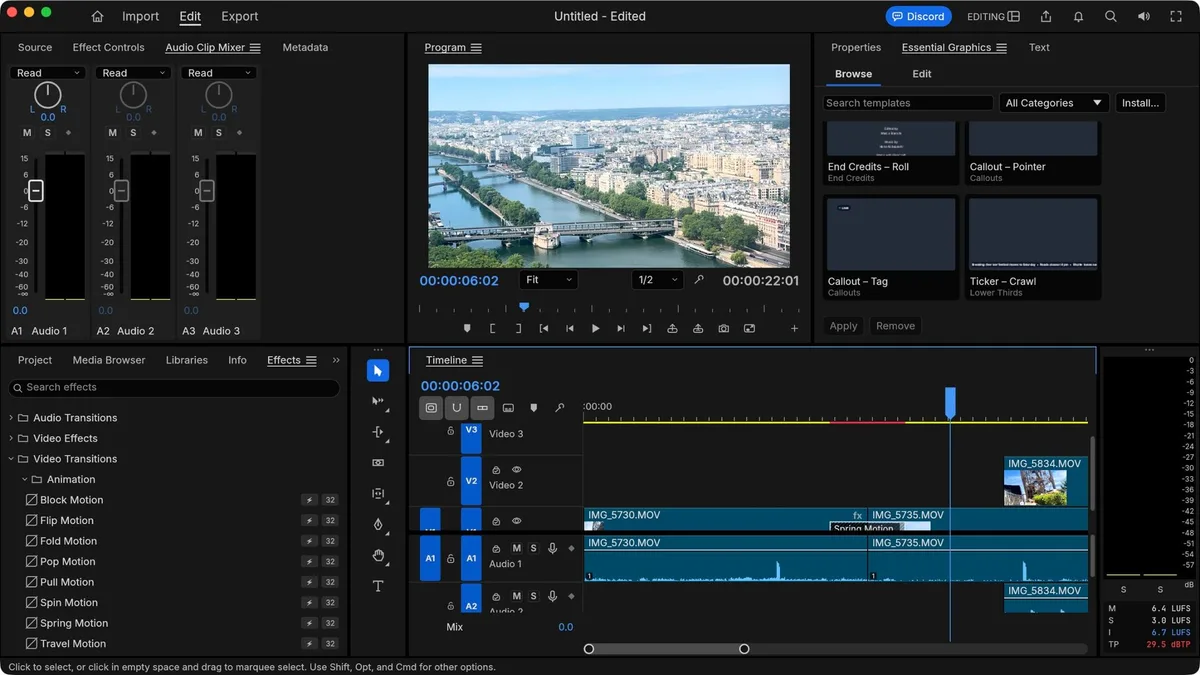
ArtCraft: New apps for the same job The ArtCraft names are pretty self-explanatory: PhotoCraft is for images, LightCraft for image cataloguing, VectorCraft for vectors, DesignCraft for desktop publishing, FilmCraft for filmmaking, EffectCraft for creating special effects, and PrintCraft is for working with PDFs.
These apps aren't only free, they’re also multi-platform, available for PCs, Macs, and Linux systems, and there are even web-based versions, would you believe it.
If you’re curious yourself, you can download them all from the Get ArtCraft website here .
Sound too good to be true? I know what you mean.
Plus, is it even legal? I’m not a lawyer, so I haven’t got a clue, but the developer claims it’s all clean code and nothing copyrighted was copied.
Make of that what you will (I’m sure I can hear lawyers scurrying through that code like ants at a picnic).
But I know what would be a crime: if I didn’t check this software out, and compared it with the original.
I thought I’d look at two packages I use regularly, image editing and filmmaking, and get a feel for how they square up against Photoshop and Premiere Pro .
I’ll be using my trusty 16” Intel-based MacBook Pro to check how the software runs on a computer that’s been around the block a few times. (Image credit: ArtCraft // Future) Installing ArtCraft Installing the software could hardly be simpler.
5News aggregated this summary from the outlet’s public feed. The full article, with all the context, is on www.techradar.com — the content belongs to TechRadar.