Adobe Firefly just added 3 new AI audio tools for creators and marketers — I tested them all to see if they're any good
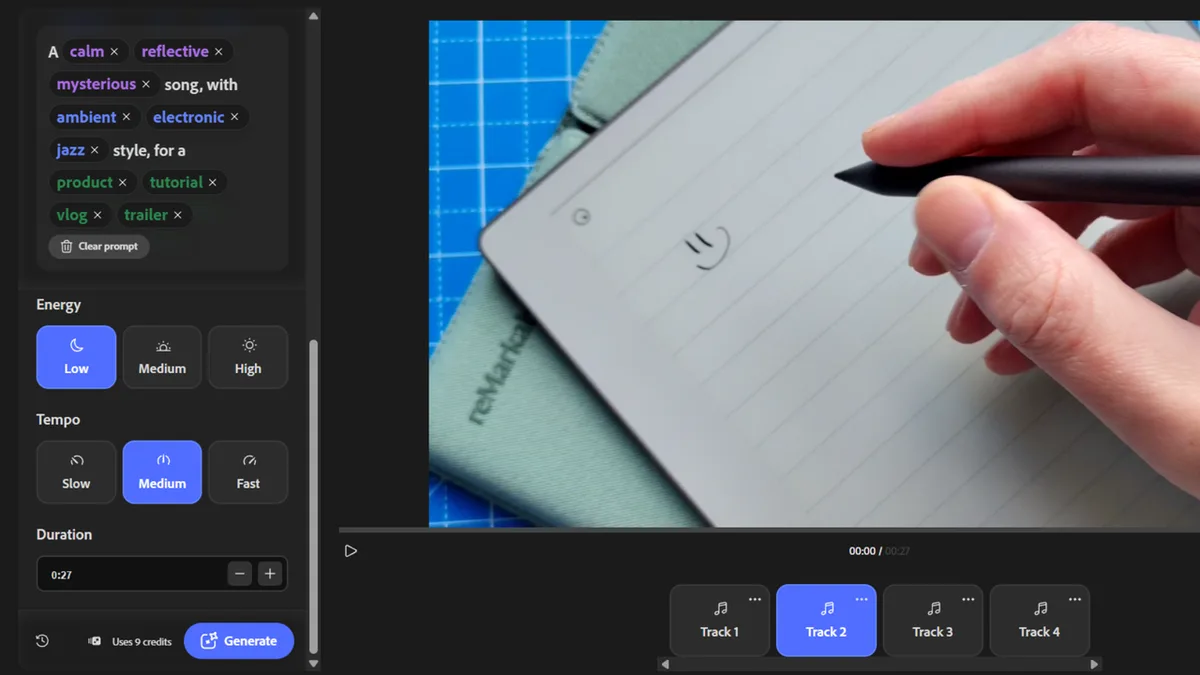
Adobe releases three new AI audio tools on Firefly Creators can now use Generate Music, Generate Speech, and Generate Sound Effects I tried them out to see how they perform in video creation After sitting in beta for sometime, Adobe Firefly has now made three new AI audio tools promising "studio-quality sound" available for all creators.
I had a play with each one to see if the results were as good as promised - and on the whole, they delivered, with a few quirks.
Generate Music, Generate Sound Effects, and Generate Speech are the latest audio features to hit Adobe's browser-based AI platform (no prizes for guessing what each of these do (sorry)).
From my experimenting with all three, Generate Music is the high-point here, it's way better than I thought it'd be and I can see marketers and creators getting serious use from it.
You can try them yourself by clicking here .
The launch coincides with a recent survey conducted by Adobe alongside Berklee College of Music, 32.7% of video creators, musicians, and marketers confirmed they use AI-generated music "as the final track in their published work." And it's that sizeable figure, I suspect, driving this particular update.
So, what's new? There are three AI tools now available to everyone.
They're all pretty self-explanatory, but here's what you need to know.
Generate Music lets you create licensed tracks matching your videos' length and mood.
Generate Speech takes scripts and turns them into voiceovers.
Generate Sound Effects generates - you guessed it - sound effects that match the action and timing of a video.
But are they any good? I've written before about my agnosticism towards AI in general, and my issues using it for creative work.
It's a facsimile of art.
Still, Adobe's tools have impressed even the hyper AI-sceptics on my team - notably features like Generative Extend in its video editing software .
5News aggregated this summary from the outlet’s public feed. The full article, with all the context, is on www.techradar.com — the content belongs to TechRadar.