HP EliteBook X G2i laptop review
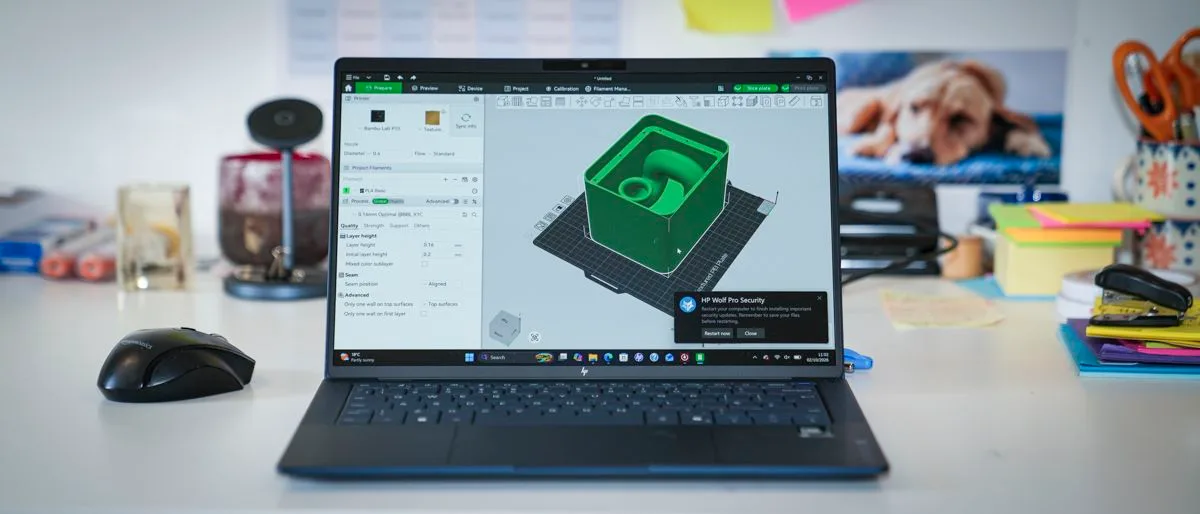
HP EliteBook X G2i: 30-second review The EliteBook X G2i is deceptively lightweight due to the magnesium alloy that’s been used to make the outer casing, and as I’ve seen before with this material when it’s used in laptops, whilst the material itself is exceptionally strong, there is quite a bit of flex to it, which could be mistaken for a cheaper design.
However, the aesthetics back up the premium pricing of this business-focused laptop, and with its 14-inch screen and weight that comes in just below a kilo, it’s the perfect partner for anyone who travels frequently and needs a high-powered laptop to keep up with all their business dealings.
Inside is the latest Intel Core Ultra X7 358H CPU, which is coupled with Intel Arc B390 integrated graphics, and of course there’s also an integrated NPU to enhance all the AI potential from Copilot and other applications.
This laptop is obviously business-focused.
However, that B390 GPU packs in some serious power, and whilst it isn’t gaming-focused, if you do want some downtime on a business trip, then this is very capable of playing some of the latest games.
Whilst you might have to dial down some of the graphics, you’ll still get decent gameplay backed up with pretty decent audio.
Checking over the body, there’s a select choice of inputs, including the full-size HDMI, so when you arrive at your destination you can plug into larger monitors or displays, including projectors for presentations.
There are two Thunderbolt 4 ports that offer up to 40Gbps, so you can plug in larger external drives to expand on the relatively small 1TB internal SSD.
On the right-hand side, there are two more ports: standard USB-A and a slower USB Type-C 3.2.
As I ran through the tests, first of all starting off with Microsoft Office, this laptop kept pace with opening Word documents, editing and updating spreadsheets, and creating PowerPoint presentations, and this was all well within the capabilities of this powerful laptop.
What was especially relevant here was that 3K-resolution screen, which just gives you that extra bit of real estate so that, when it comes to laying out your work, you’re not struggling to see palettes or the presentation at full size.
As I swapped over to some creative applications, starting in Lightroom then progressing onto Photoshop, again the speed of this laptop really stood out.
It handled Photoshop without issue, and Lightroom rendered libraries quickly.
As I then progressed onto CapCut and then Premiere Pro for video editing.
5News aggregated this summary from the outlet’s public feed. The full article, with all the context, is on www.techradar.com — the content belongs to TechRadar.