I spent a month with the Huawei MatePad Air, and it's confirmed my one big wish for the next iPad Air
Huawei, as a brand, is in a very interesting place right now.
The company is genuinely innovating on a lot of fronts.
It just launched the Mate XT2 tri-folding phone, which brings Samsung-like Privacy Display tech to the tri-folding form factor, as well as the Watch D3 , which puts medical-grade blood pressure measurements into an even slimmer smartwatch.
But the problem with Huawei has always been that you can't buy a lot of the company's devices in markets outside Asia.
And while that doesn't look like it's changing anytime soon, every once in a while, Huawei does launch some products in the West, and it reminds us (again) of what we're missing from other major hardware makers.
That's exactly what happened with the new Huawei MatePad Air.
I usually use my still-going-strong M1 iPad Air (2022) as my main tablet, but I've spent the past month using the MatePad Air as my primary device.
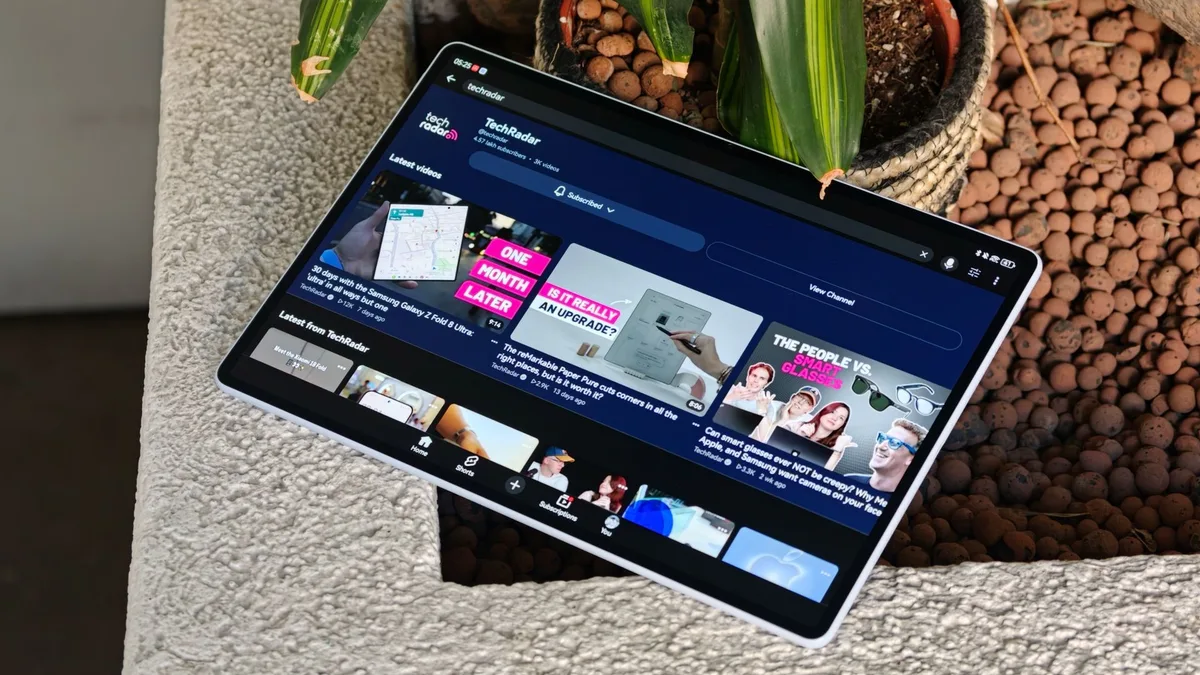
And it has shown me the one upgrade Apple could make that would probably convince me to finally buy the next iPad Air. (Image credit: Sanuj Bhatia / TechRadar) The MatePad Air itself doesn't look like some groundbreaking new tablet.
In fact, Huawei has so many tablets in its lineup that you'd probably have a hard time distinguishing the new MatePad Air from some of the company's other models just by looking at the back.
But flip the MatePad Air around, and that's where, for me, it starts beating a lot of the competition.
The MatePad Air comes with a 12-inch OLED display with up to a 144Hz refresh rate and a 1,200-nit peak brightness.
But the model I've been testing for the past month is the higher-end PaperMatte version, which can reach up to 2,000 nits.
If you're unfamiliar with Huawei's PaperMatte display technology, it's essentially a special anti-glare treatment on top of the display that, Huawei says, eliminates up to 99% of ambient light reflections.
It also gives the screen a more paper-like texture, which feels natural when you're writing with a stylus, while also helping reduce things like eye strain and smudges. (Image credit: Sanuj Bhatia / TechRadar) And this display alone is what has made me prefer using the MatePad Air over my iPad Air for the past month.
5News aggregated this summary from the outlet’s public feed. The full article, with all the context, is on www.techradar.com — the content belongs to TechRadar.