USB-A vs. USB-C: What's the difference between them?
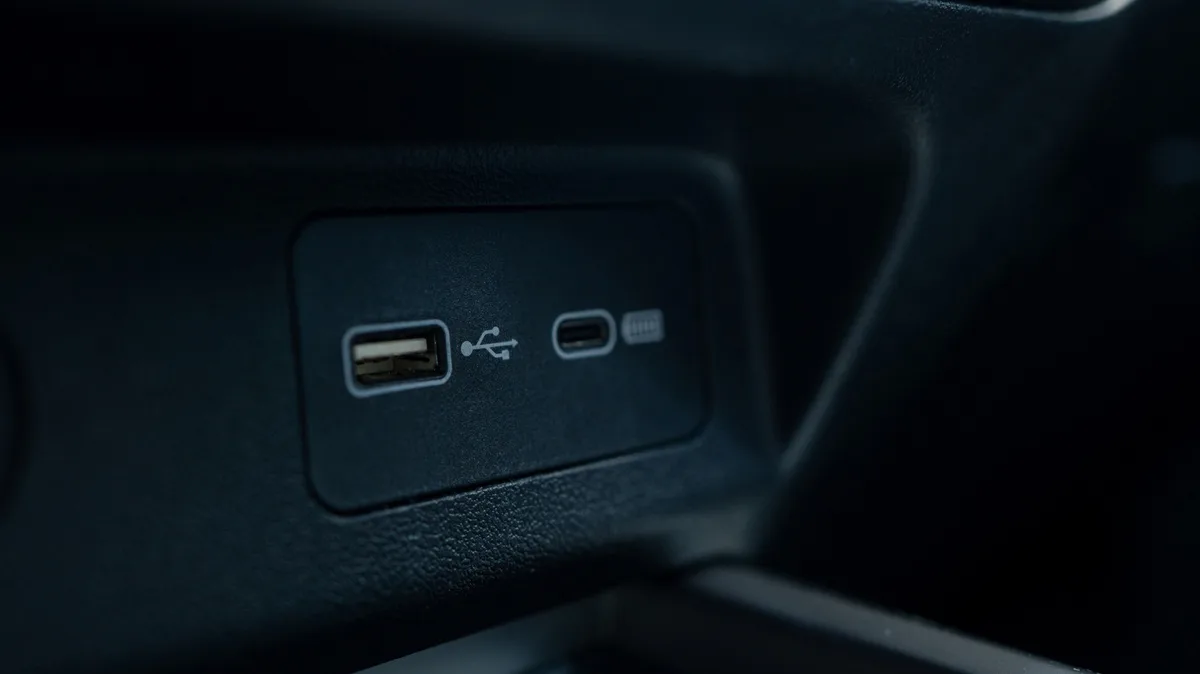
These two connector types are visually distinct, but looks aren’t their only differences.
USB-C is newer than USB-A, but the older standard is still commonly used today. Understanding all the ways they differ helps you make better use of your tech and follow what's happening inside it.
Chayjitti Hongmanee/Shutterstock USB-A (officially USB Type-A) is one of the two original connectors defined in the USB 1 standard. It uses a rectangular connector with all its pins on one side, so it will only connect to a port in one way — everyone has had to flip a USB-A plug multiple times to get it aligned correctly.
USB was created to simplify computer peripherals by providing one straightforward connection for accessories. Before it came around, plugging a device into your computer meant dealing with a mess of different cables and port compatibility. Early versions of USB designated one device as the host (usually the computer) and the second as the connected device; they weren't reversible. This is why you don't see USB-A to USB-A cables; plugging one of those into two computers would cause problems when both try to act as the host.
USB-B was the companion connector type in the early days , used for peripherals. You'll occasionally still see USB-B used for devices like printers, but it's much less common now. Mini-B and Micro-B (usually called Mini-USB and Micro-USB) served the same purpose, but were smaller so they could fit on mobile devices like MP3 players, phones and game controllers. These two were much more frequently used than standard USB-B until USB-C started replacing them.
USB-A is still used today and has wide compatibility across devices given how long it's been around. You'll see it on desktops and laptops, routers, game consoles, cars and device chargers (including various charging spots like clock radios, plane seats and couches).
When USB-C arrived, older connections were designated as "legacy," and USB-C has slowly taken over since. You'll now usually find at least one USB-C port on most laptops and desktops, and it's the standard for smaller devices like smartphones, tablets, headphones and controllers. In many places where you would use USB-A ports in years past (like in your car, on your router, on a power bank or similar), it's common to see USB-C now. Micro-USB is still used for some cheaper devices or those that haven't seen updates in years.
Adding to its universal nature is how versatile USB-C is . In addition to transferring data, USB-C can be capable of charging larger devices like laptops, outputting video and audio, and connecting all sorts of peripherals. What used to require a half-dozen various connections on your laptop (charging, connecting an external SSD, hooking up a monitor, adding a microphone, et cetera) can now be achieved with just a few USB-C ports.
Octavian Lazar/Shutterstock Everything we've talked about so far only pertains to the physical connection types of cables and device ports. The data transfer, charging speed and other capabilities of both USB-A and USB-C depend on the standards for a specific cable and port.
5News aggregated this summary from the outlet’s public feed. The full article, with all the context, is on www.engadget.com — the content belongs to Engadget.