MagSafe vs. USB-C: Which is better for charging your MacBook?
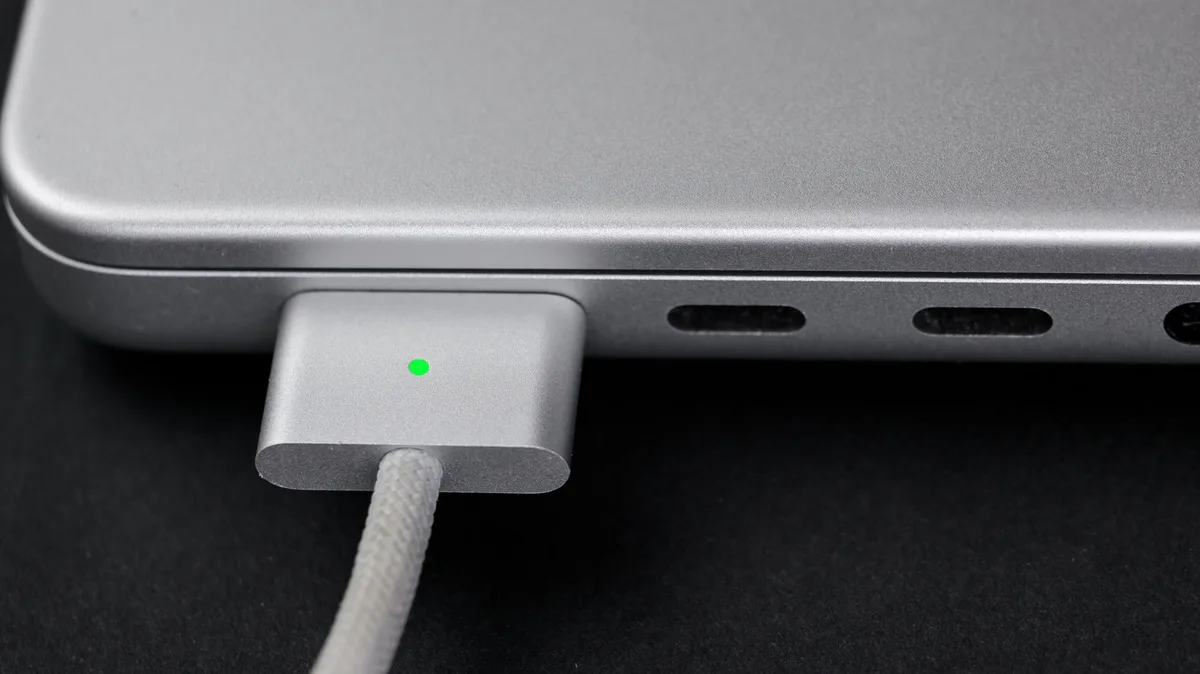
MagSafe is safer and simpler, but USB-C has a few advantages of its own.
Ivan_Shenets/Shutterstock Add Engadget on Google: Preferred Source Google Discover The latest MacBooks are known for featuring Apple's clever charging solution: MagSafe. It's one of those features that's a make-or-break factor for some people. And it's no wonder — these chargers attach magnetically and disconnect if the cable is pulled sharply, like when tripping over it. But Apple laptops can also be charged via USB-C, which has become an industry standard. While you can't use both at the same time, they can both be great charging options depending on what you need at a given moment.
While it has the same name, don't confuse the MacBook's charging tech with the iPhone's MagSafe, which is a different technology. While the iPhone's MagSafe is based on the Qi standard , the MacBook's MagSafe uses a proprietary — and much smaller — connector. Still, the idea is the same: magnetically attaching a charger versus plugging in a standard USB connector.
MagSafe on MacBooks has also gone through a few iterations, with MagSafe 3 being the current one. Each generation has the same fundamental purpose, though different physical sizes and power capacities means they aren't cross-compatible.
USB-C, on the other hand, is a standard connector. You have to insert it into the right port on your laptop . And if an accident happens, there's a good chance your Mac will be pulled along with the cable and hit the floor.
But there are also important differences in charging power. The MagSafe cable is designed for faster charging. If you have a 2021 MacBook Pro, a 2022 MacBook Air or later, MagSafe can charge your Mac at up to 140W. That is, of course, if you have the right power adapter. Apple sells a $99 adapter that pairs with the MagSafe cable to enable fast charging. We're talking about a 50 percent charge in just 30 minutes, which is quite fast.
USB-C is a different story. While there are cables that can deliver even higher wattages in theory, that's not the case for most of them. The standard for USB-C is 60W of power, which is half of what MagSafe can deliver. There are special cables that deliver up to 100W or 240W of power — Apple even sells a 240W USB-C cable . This is something you need to keep in mind before buying a new cable if you're looking for fast charging.
Habanero Pixel/Shutterstock As we've seen, MagSafe is the best choice in most cases. It's physically safer, supports fast charging and keeps your USB-C ports free for other accessories. It's also much easier — you don't have to worry about complicated charging standards and specs . Just use the Apple combo, and you're good to go.
But USB-C can offer some conveniences, too. The most notable is a single cable handling everything. This makes traveling much easier, since you don't need a mess of cables in your backpack. A fast USB-C charger can power your Mac, iPhone, iPad and anything else with USB-C. MagSafe is for Macs only.
Plus, if you have a MacBook Pro released after November 2023, there's an extra treat: these can charge at up to 240W via USB-C.
5News aggregated this summary from the outlet’s public feed. The full article, with all the context, is on www.engadget.com — the content belongs to Engadget.