Don't throw away your old Android tablet — do this instead
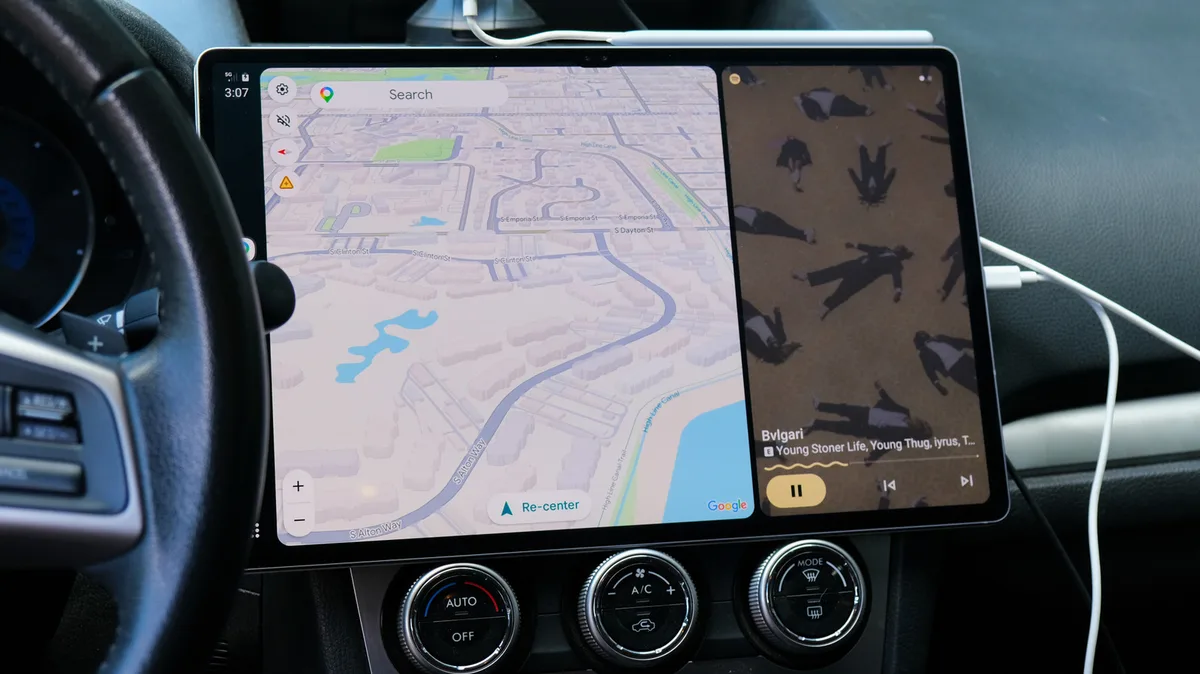
Android Auto will run right on your tablet's screen with the Open Headunit app.
Max Miller for Engadget Add Engadget on Google: Preferred Source Google Discover When a tablet gets old, it can often become nothing more than an expensive coaster. That's doubly true of Android tablets, which run the gamut from premium to ultra-budget in quality. Once they can no longer reliably run modern apps, Android tablets have few paths forward. They may be handy as e-readers or smart home control panels, but frankly you can probably find better ways to accomplish those tasks.
But one unexpected use for an Android tablet is as a head unit for Android Auto, using it to control your phone, navigate and play media on the go. Using the Open Headunit app, which costs just shy of $4 on the Google Play Store (though you can get it free from GitHub if you've got a bit more tech know-how), you can trick your phone into seeing your tablet as an Android Auto unit and displaying a big, car-friendly infotainment system right on the larger screen. It's not perfect, but after some extensive testing, I've concluded that it's a viable option for anyone whose vehicle doesn't support Android Auto by default, especially at a time when auto makers are increasingly halting Android Auto support .
Android Auto is a service that connects your phone with your car and displays a driving-friendly version of Android on your car's touchscreen infotainment system. It's a wonderful perk for drivers lucky enough to have a car that supports it, but many do not, especially older vehicles. If you're relying on a regular Bluetooth connection to your phone for navigation and entertainment, putting a tablet in your car as an Android Auto interface could be a significant upgrade.
Max Miller for Engadget Getting the Open Headunit app running requires some fiddling. It allows multiple connection types — USB, Wi-Fi, Bluetooth and running Android Auto directly on-device if your tablet supports it — and you'll need to do some experimenting to figure out which plays nice with your combination of hardware. Additionally, you'll need to connect the tablet to your car's audio system in order to play music or other media through it. Open Headunit has a handy built-in configuration tool that will walk you through all the most important settings and adjust them to work with your setup. Gemini in Android Auto is supported, too.
In my case, the issues with wireless Android Auto got me good, and USB ended up being the easiest solution. Once I spent some time enabling all the various permissions for Open Headunit and making it the default for USB connections, plugging my phone into my Samsung Galaxy Tab S10 Ultra would reliably open Android Auto and resume playback on my Spotify through its speakers. Connecting the tablet to my car's Bluetooth allowed the audio to pipe through my car stereo, but that created too much latency. I was able to reduce the delay by using a small USB-C hub with a 3.5mm headphone jack, then wiring an auxiliary cable from that into my car's own 3.5mm jack.
Performance was great on my tablet, but it's a high-end unit only a couple of years old.
5News aggregated this summary from the outlet’s public feed. The full article, with all the context, is on www.engadget.com — the content belongs to Engadget.