The latest Windows 11 update may mess with your device’s audio – here’s the workaround
Microsoft’s monthly Windows updates aim to fix bugs and vulnerabilities, but they also often create new glitches. That’s the case with the September Patch Tuesday rollout, which is apparently stifling the sound on certain older USB devices, including speakers, headphones, and microphones.
Also: Your Windows PC just got a big Bluetooth audio upgrade from Microsoft – hear the difference
In an update to its “ Windows 11, version 25H2 known issues and notifications ” page, Microsoft revealed that the KB5124008 Windows security update launched on Sept. 8 may cause the sound on some USB Audio Class 1.0 devices to fail.
As a result, users who installed the update could run into any of the following issues:
The one saving grace here is that this glitch is limited to USB Audio Class 1.0 devices, which use an older, legacy audio driver introduced all the way back in Windows 98. Named Usbaudio.sys, this type of driver was groundbreaking at the time as it connected devices to your PC using Microsoft’s plug-and-play method rather than requiring specific drivers from each manufacturer.
Also: Microsoft’s new Windows 11 Bluetooth update comes with useful benefits (and a major caveat)
Modern speakers, headsets, and other audio devices that rely on USB typically use USB Audio Class 2.0. Otherwise, today’s devices will more likely use your PC’s audio jack or Bluetooth for a connection.
Still, older hardware has a habit of sticking around. I have an old USB headset that I still use occasionally. So this glitch will impact a number of Windows users.
There is no fix yet, though Microsoft says it’s working on one. Normally, a bug like this might force you to uninstall the entire update. But there is another workaround you can try if you are affected.
Speakers and other audio devices support multichannel audio. Traditional stereo uses two channels to pipe out the sound. But audio receivers and multi-speaker systems can produce surround sound with 5.1, 7.1, or 8-channel audio. Further, there are options like 3D audio and spatial sound – and therein lies the workaround.
Microsoft says that impacted devices may fail in a multichannel mode, such as 8-channel or 3D audio, but work in standard stereo mode. Some people affected by the glitch reported that they were able to restore audio by switching the output to 2-channel stereo mode.
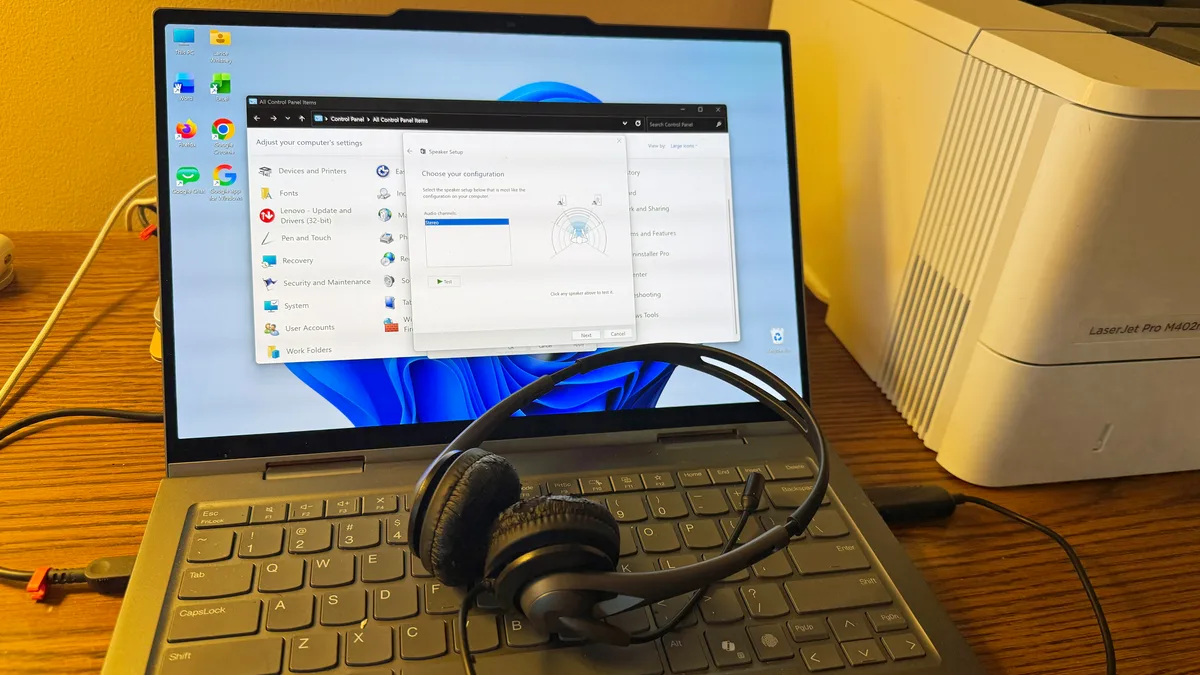
To try this, open Control Panel in icon view and click the Sound applet. In the Playback tab, select the affected USB audio device and click the Configure button. Under Audio channels, select stereo instead of one of the other multichannel modes. Click Next and go through the screens until you’re finished. Back at the Playback screen, click the Test button to make sure you can now hear the audio.
5News aggregated this summary from the outlet’s public feed. The full article, with all the context, is on www.zdnet.com — the content belongs to ZDNET.